New on the web
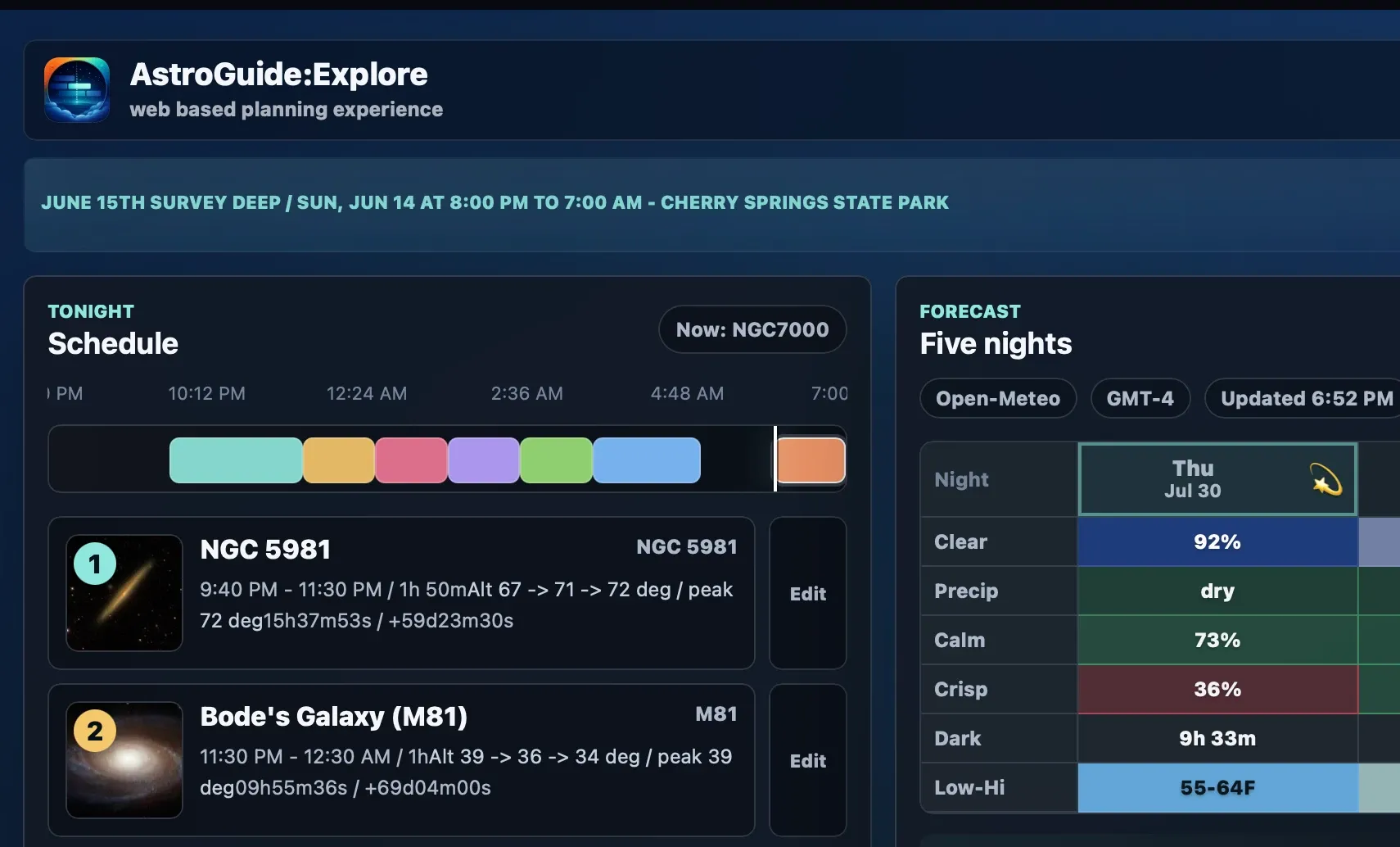
Meet
AstroGuide:Explore.
Create, edit, and view portable AstroPlan schedules in your browser, with catalog, forecast, framing, site, and sky context close at hand.
 AstroGuide Make the most of every night
 AstroGuide destinations
Astronomy planning for smart-telescope owners
AstroGuide helps you decide what kind of night you have, choose subjects that fit your real setup, and learn from every session afterward, whether the sky is clear, moonlit, changing, or better used for planning ahead.
Before you set up
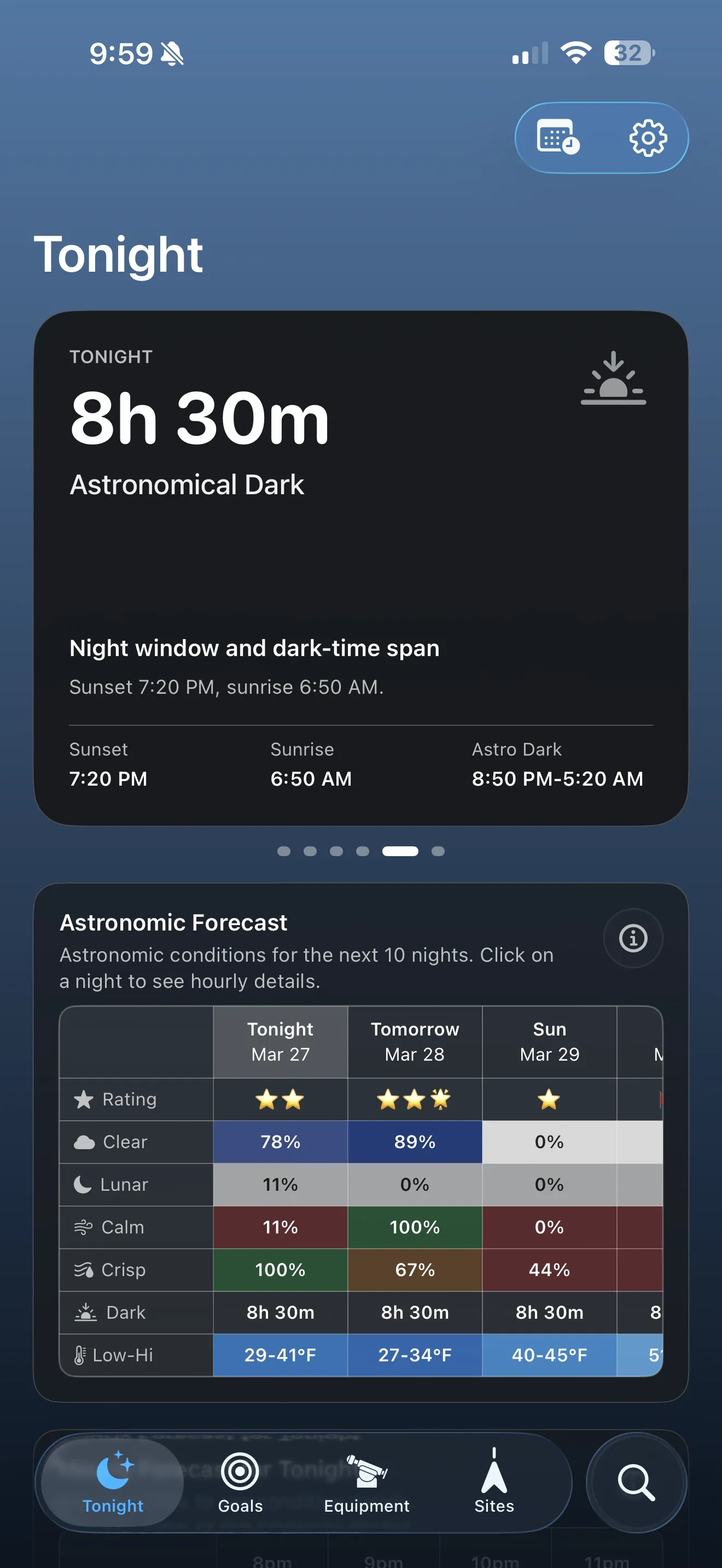
See when the strongest hours really happen, and whether tonight is better for observing, planning, or review.
Beyond tonight
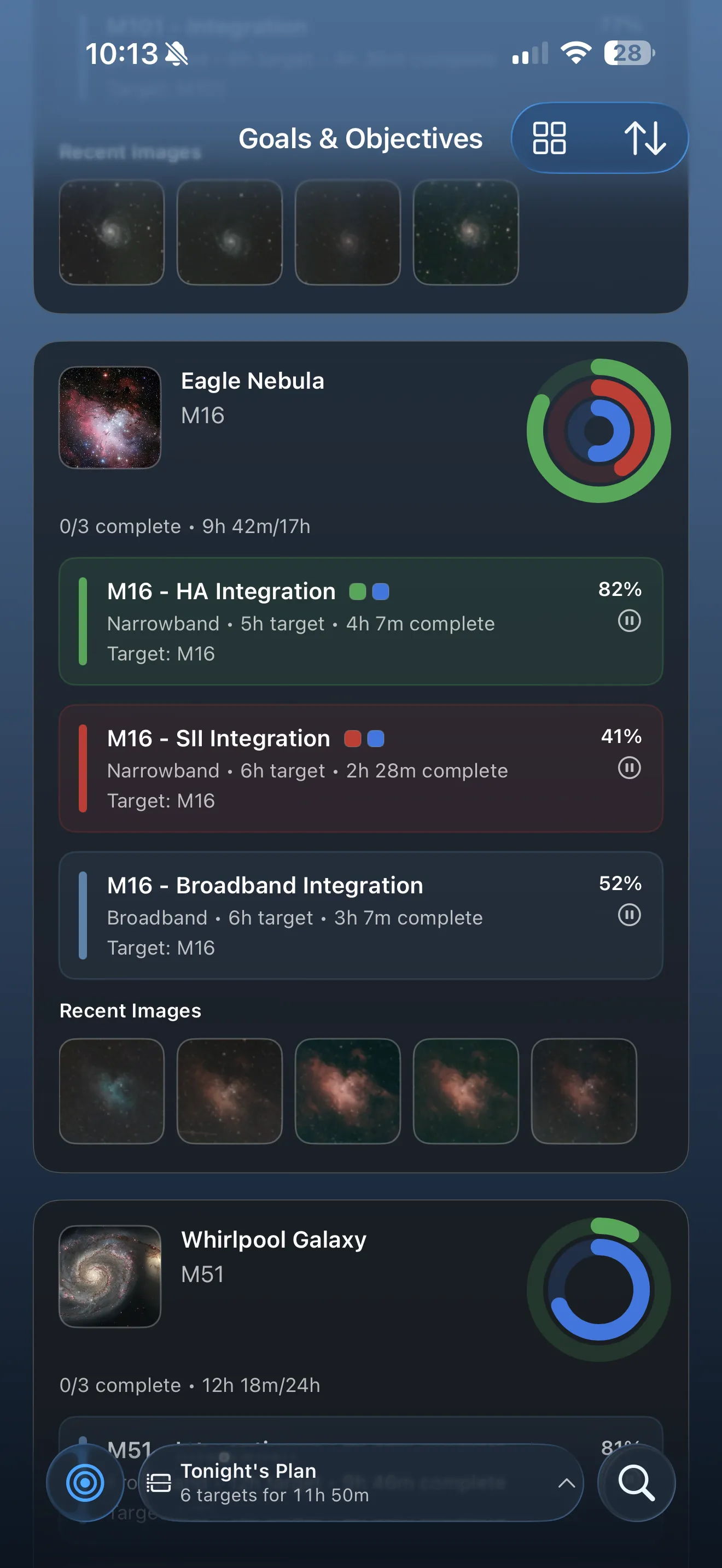
Hold onto meaningful ideas, build objectives, and come back when the sky is ready.
Built for real nights
AstroGuide is designed for the nights most people actually get: clear windows, passing clouds, bright moonlight, uncertain forecasts, and evenings that are better spent reviewing what happened or planning what comes next.
AstroGuide helps you make good choices on clear nights, changing nights, moonlit nights, and evenings that are better spent planning or reviewing.
Site context, horizon limits, telescope fit, filter choices, and Capture Studio composition planning make guidance feel personal instead of generic.
Explainable charts, tips, and review tools help newer smart-telescope owners build confidence without feeling talked down to.
What AstroGuide helps you do
AstroGuide is not just a list of interesting subjects. It is a planning-and-learning companion that stays useful before the session, during planning, and after the telescope is packed away.
Review nightly ratings, hourly conditions, and observation windows before you commit time to setup.
Learn moreRecommendations reflect your site, equipment, visibility, and the type of night you actually have.
Learn moreCapture Studio connects framing, filter fit, sub-exposure guidance, and integration estimates before you save a project.
Learn moreTelescope Workshop combines optics, cameras, and focal multipliers so planning tools understand your actual field of view.
Learn moreGoals, objectives, and monthly visibility help you hold onto good ideas without forcing them into tonight’s plan.
Learn moreDirect Scan imports, History, efficiency views, and session diagnostics help you understand how the night really went.
Learn moreTips and explainers help you understand why the app is steering you in a certain direction.
Learn morePlan tonight
AstroGuide helps you judge whether tonight is worth using, protect the strongest hours, and narrow from “maybe” to a practical subject choice.
Plan ahead
Not every interesting subject belongs in tonight’s plan. AstroGuide helps you save future intent, think seasonally, and keep real projects moving.
Real setup context
A subject can be technically visible and still be the wrong choice from your yard, with your telescope, at your best hour. AstroGuide is stronger when it understands your real observing situation.
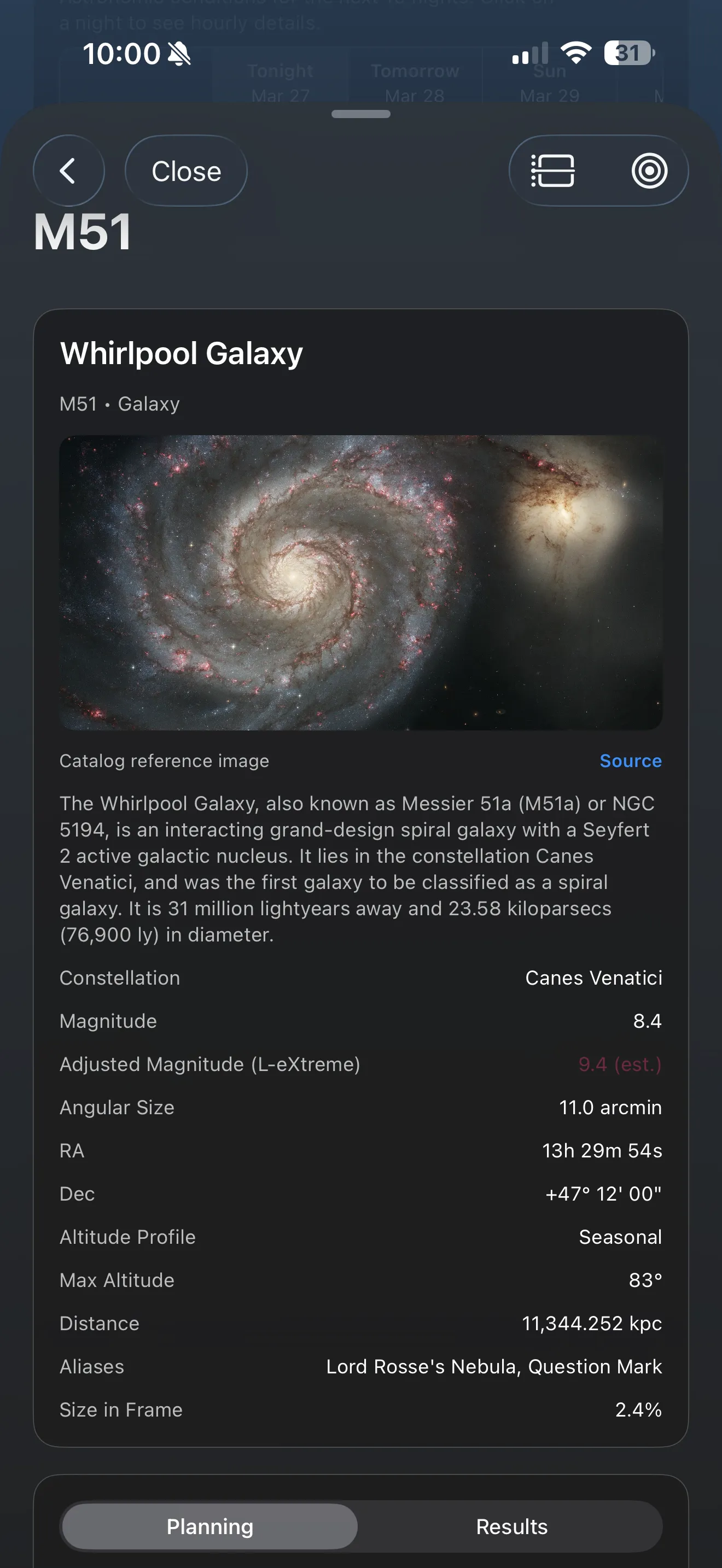
Before, during, and after
This is the closed loop that makes AstroGuide feel different from a generic planner. Each phase gives the next one more context.
Decide whether the night is worth using, what the strongest hours are, and whether tonight is better for active observing or planning ahead.
Compare subjects, inspect timing and composition, then turn a promising idea into a realistic schedule block or a saved objective.
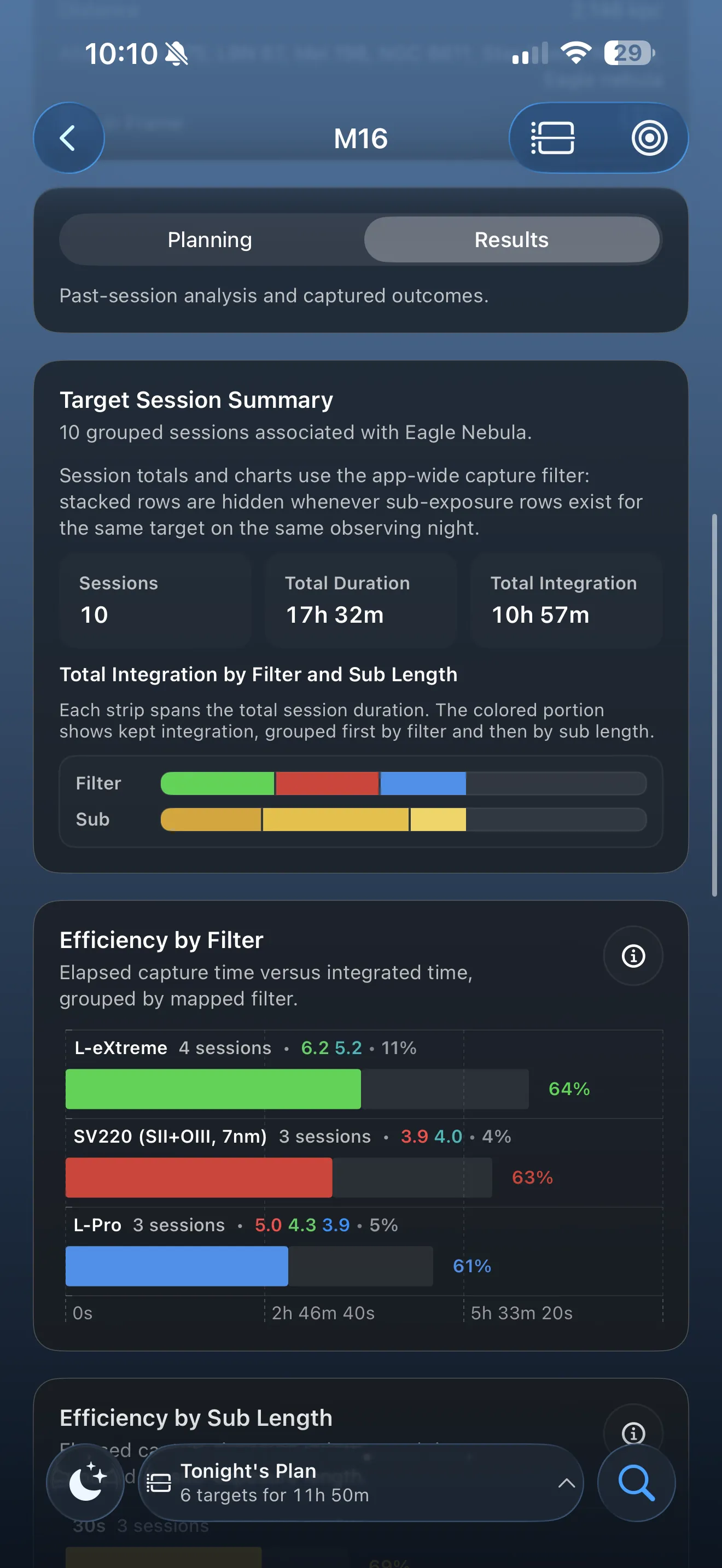
Review grouped sessions, compare results, and see what you want to repeat, refine, or save for later.
Review and improve
AstroGuide stays useful after the session by turning imported sessions, stacked results, and diagnostic clues into feedback you can actually use next time.
From the AstroGuide blog
We’re using the blog for feature explainers, build notes, and product updates so the public site can keep teaching, not just marketing.
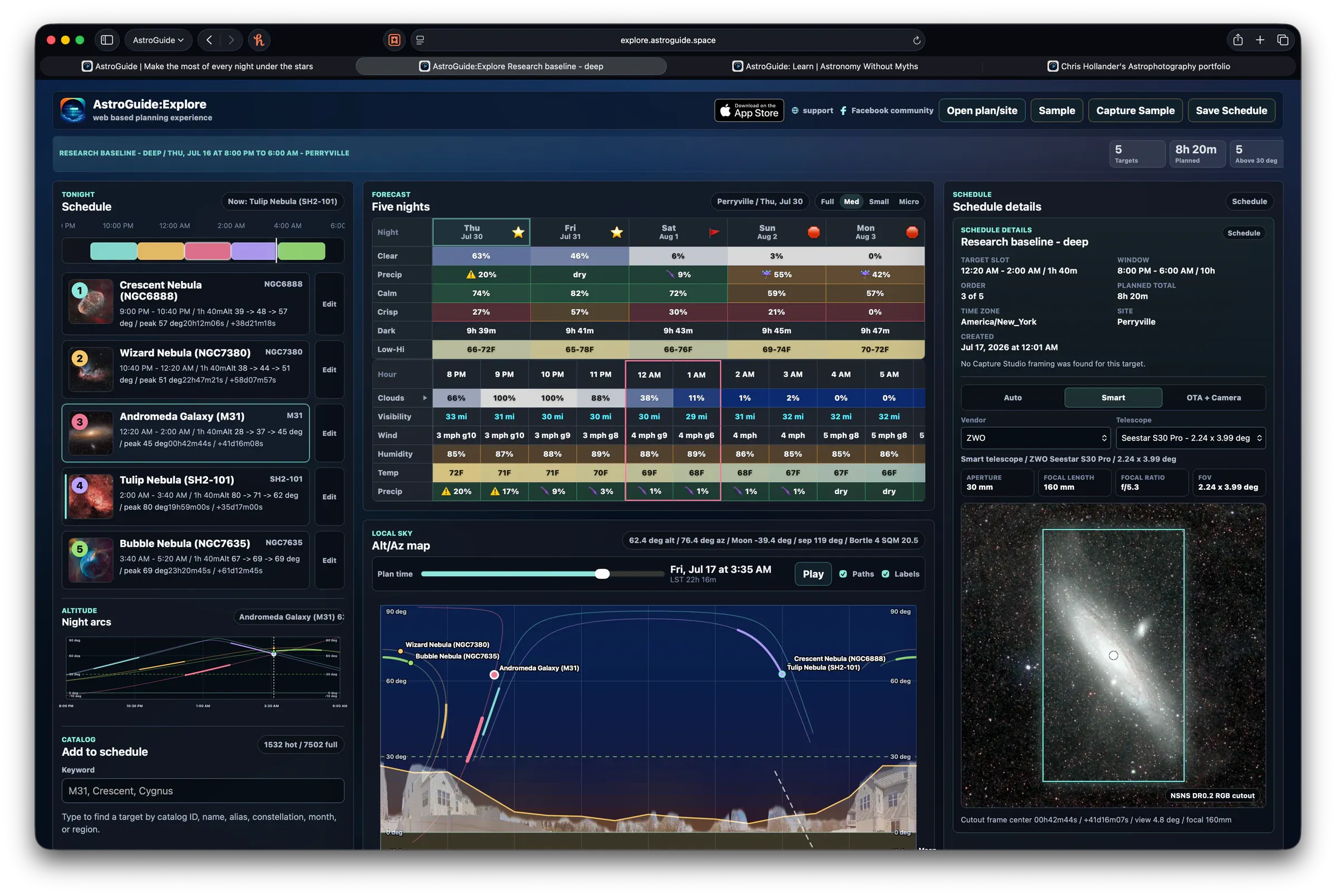
Create, edit, view, and share portable AstroPlan observing schedules in a browser with catalog, framing, forecast, site, and sky context.
Read postAvailable on the App Store
Download AstroGuide for iPhone and iPad, then use the site to explore features, pricing, and planning guides while the soft-launch materials keep getting polished.