Start with the night
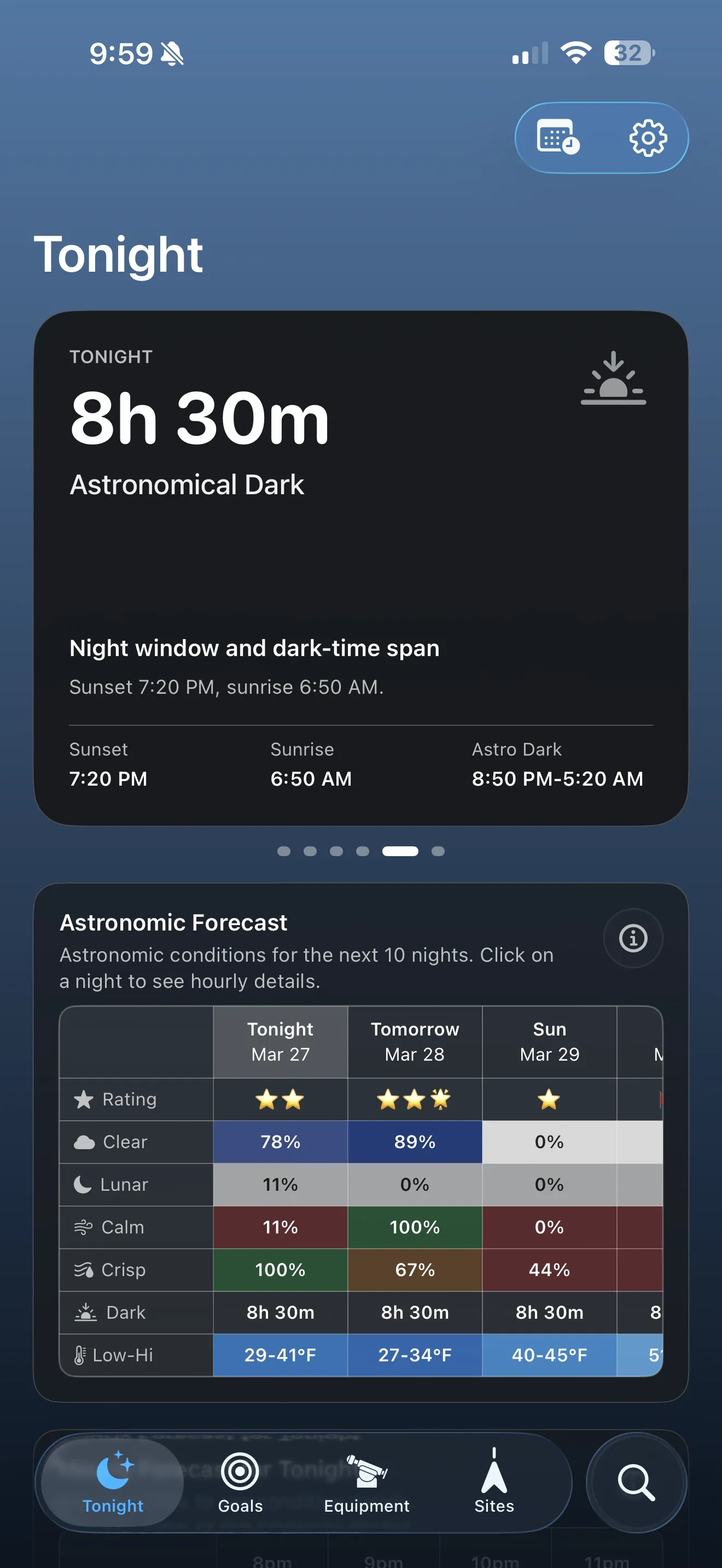
Review nightly ratings, hourly conditions, and observation windows before you commit time to setup.
Learn more AstroGuide Make the most of every night
 AstroGuide destinations
Feature overview
AstroGuide’s feature set is organized around the real decisions smart-telescope owners face: whether the night is worth using, what fits the moment, what belongs later, and how to improve from one session to the next.
Review nightly ratings, hourly conditions, and observation windows before you commit time to setup.
Learn moreRecommendations reflect your site, equipment, visibility, and the type of night you actually have.
Learn moreCapture Studio connects framing, filter fit, sub-exposure guidance, and integration estimates before you save a project.
Learn moreTelescope Workshop combines optics, cameras, and focal multipliers so planning tools understand your actual field of view.
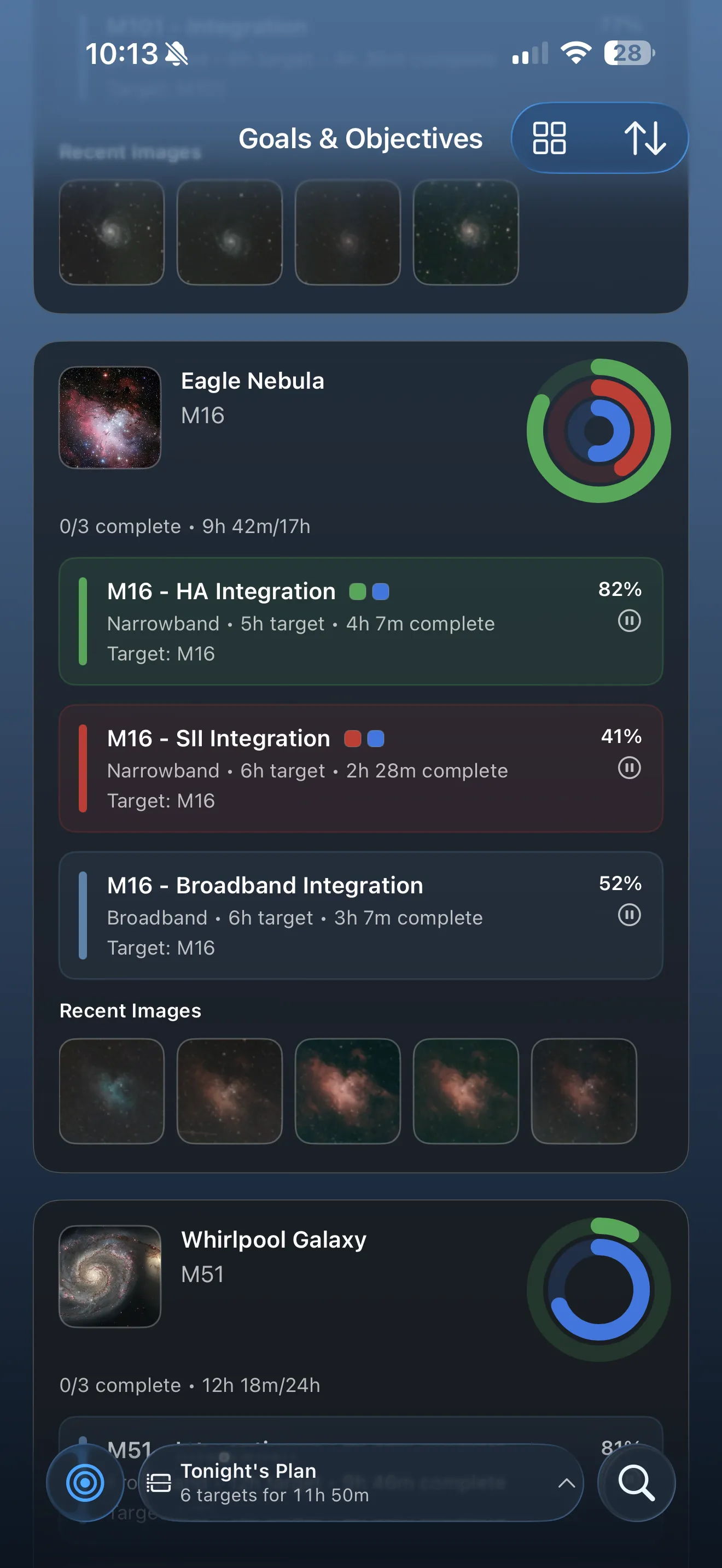
Learn moreGoals, objectives, and monthly visibility help you hold onto good ideas without forcing them into tonight’s plan.
Learn moreDirect Scan imports, History, efficiency views, and session diagnostics help you understand how the night really went.
Learn moreTips and explainers help you understand why the app is steering you in a certain direction.
Learn moreiPhone, iPad, and Mac
AstroGuide is being built as a universal Apple-platform app. The same night ratings, observation windows, subject planning, goals, and session review tools travel with you, while the layout adapts to the device in your hands.
iPhone
Use the compact flow for checking Tonight, Search, observation windows, and session status while you are setting up or stepping outside.
iPad
Wider layouts give planning surfaces more breathing room for lists, detail views, sky previews, and side-by-side decision making.
Mac
Use the larger screen for browsing, project planning, session review, and analysis when you want a desk-friendly view of your imaging work.
Plan tonight
AstroGuide helps you judge whether tonight is worth using, protect the strongest hours, and narrow from “maybe” to a practical subject choice.
Plan ahead
Not every interesting subject belongs in tonight’s plan. AstroGuide helps you save future intent, think seasonally, and keep real projects moving.
Real setup context
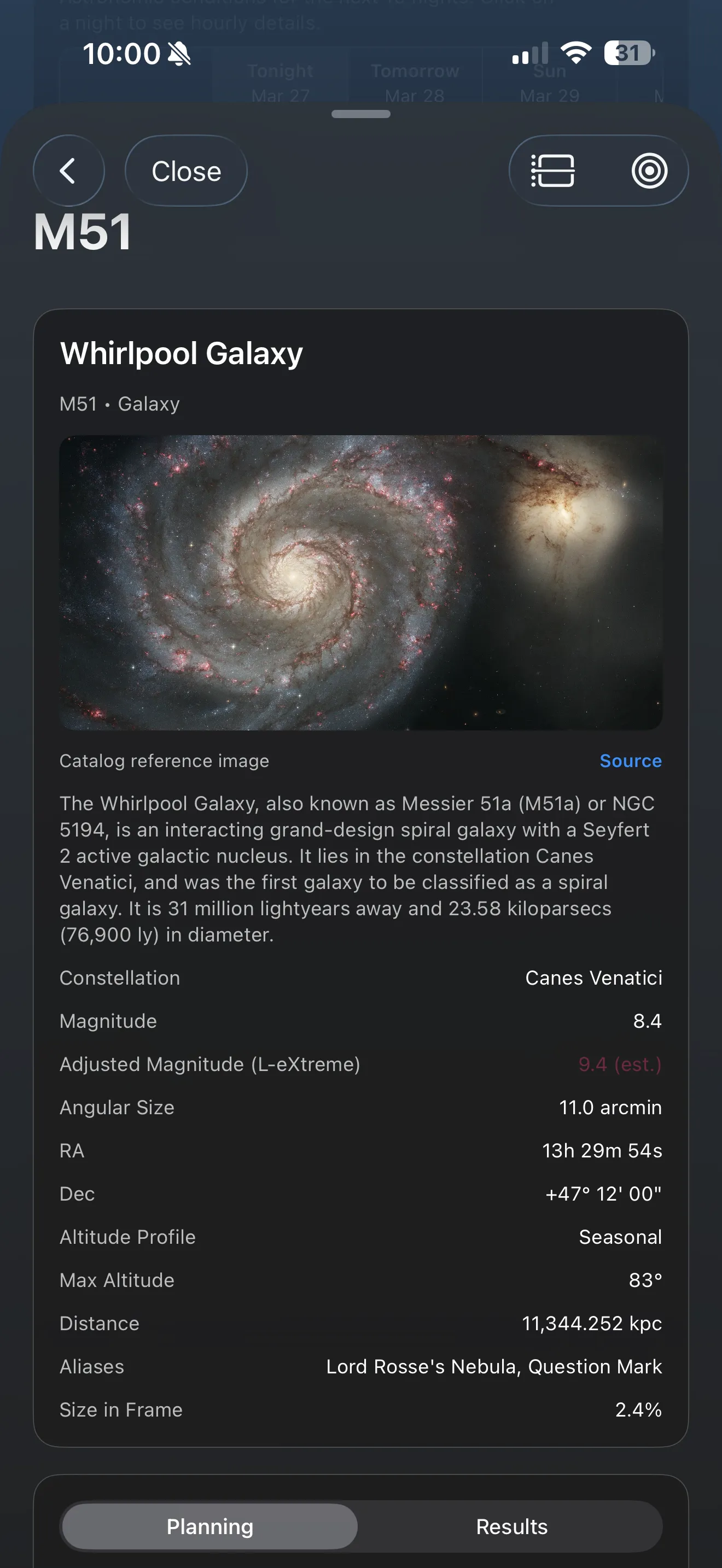
Site profiles, horizon limits, panorama tools, Capture Studio, and Telescope Workshop make AstroGuide much more trustworthy than a generic astronomy browser.
Advanced planning tools
AstroGuide gets more useful when it understands both the capture you want to make and the rig you plan to use. Capture Studio focuses on the plan; Telescope Workshop focuses on the equipment model behind that plan.
Capture Studio
Capture Studio brings framing, filter fit, sub-exposure guidance, and integration estimates into one planning surface. It helps you see whether the subject, equipment, site, Moon, and quality goal make sense together.
Telescope Workshop
Telescope Workshop combines optics, cameras, orientation, and focal multipliers, then turns those parts into field of view, pixel scale, sampling fit, and practical comparison guidance.
Review and improve
AstroGuide stays useful after the session by turning imported sessions, stacked results, and diagnostic clues into feedback you can actually use next time.
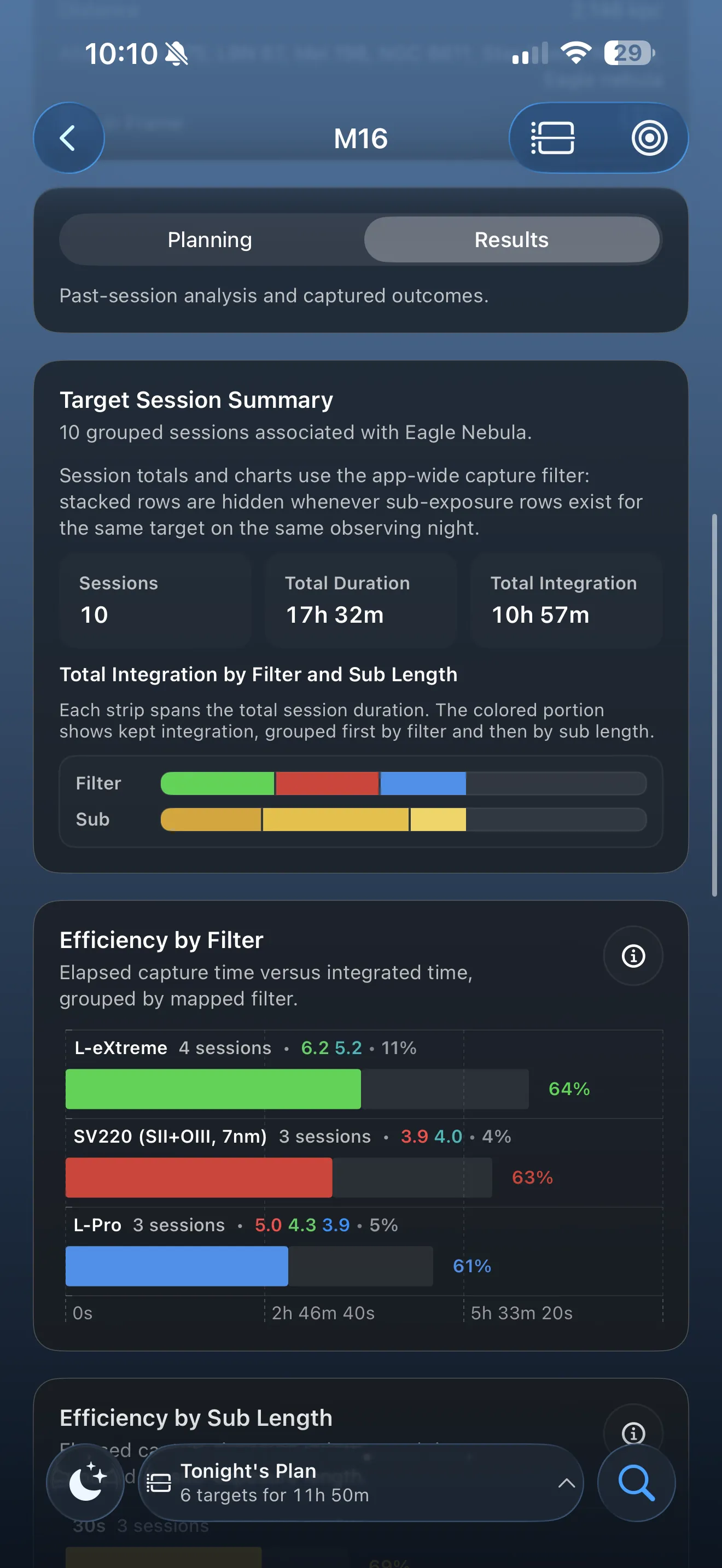
Learning system
Charts, ratings, recommendations, and diagnostics are built to be understandable, not mysterious. AstroGuide helps you grow into the hobby instead of assuming you already know the language.
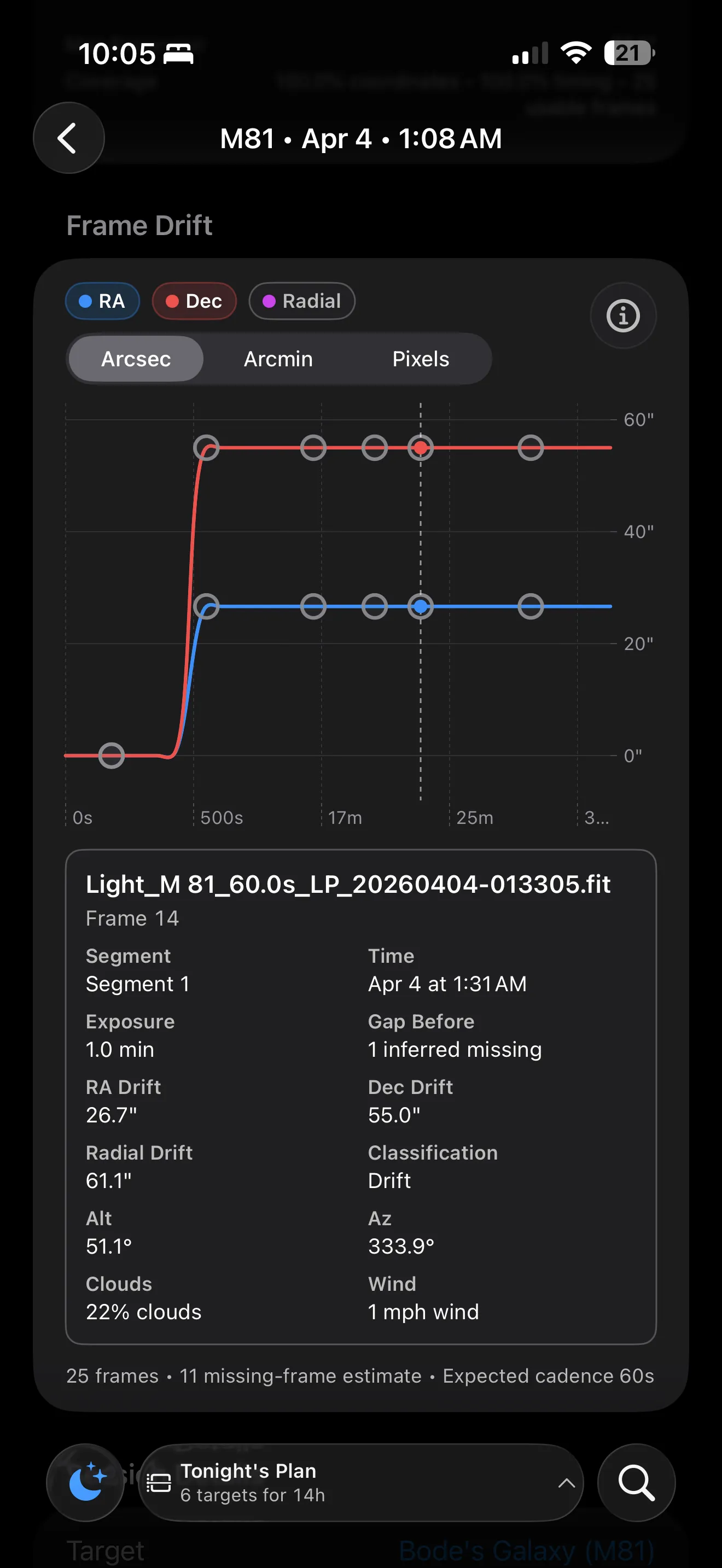
Available now
AstroGuide is most compelling when it helps newer owners feel capable without flattening the hobby into generic advice. That is why the product loop keeps conditions, setup, review, and explanations close together.