Introducing AstroGuide:Explore
Create, edit, view, and share portable AstroPlan observing schedules in a browser with catalog, framing, forecast, site, and sky context.
AstroGuide
is a streamlined browser-based companion for creating observing schedules and understanding the conditions, equipment, and sky behind them. It brings essential AstroGuide planning tools to a larger desktop workspace while staying easy to open from a phone or tablet. to start a new schedule, or keep reading for a closer look at what is available on the web.AstroPlan planning, wherever you have a browser
At the center of Explore is AstroPlan, AstroGuide’s portable format for observing schedules. You
can create a plan in the browser, open an existing .astroplan file, and refine the schedule
without installing the iOS app.
That portability matters. A schedule can begin at a desktop where there is room to compare subjects and framing, move to a phone for a quick review, and travel into AstroGuide for iOS when you want the complete native planning experience.
Portable links make that same schedule easier to share from a message, post, or website. The person opening the link gets the planning context in their own browser instead of needing the same device or app setup.
More than a schedule editor
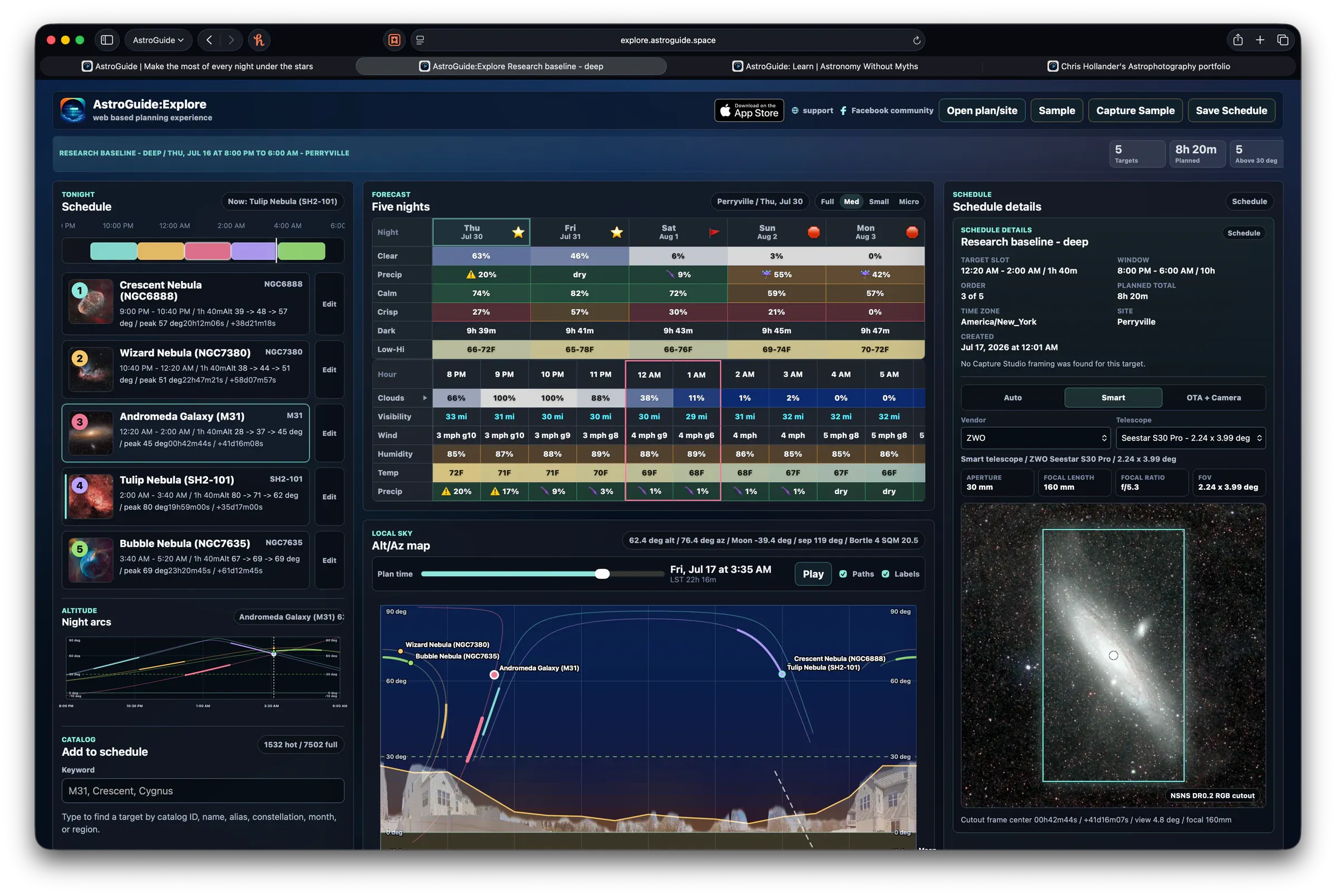
Explore keeps the supporting context close to the plan, so choosing a subject does not become a series of disconnected lookups.
- Create, edit, and view observing schedules. Start a new AstroPlan schedule or open an existing file, then add subjects and refine the plan from desktop or mobile.
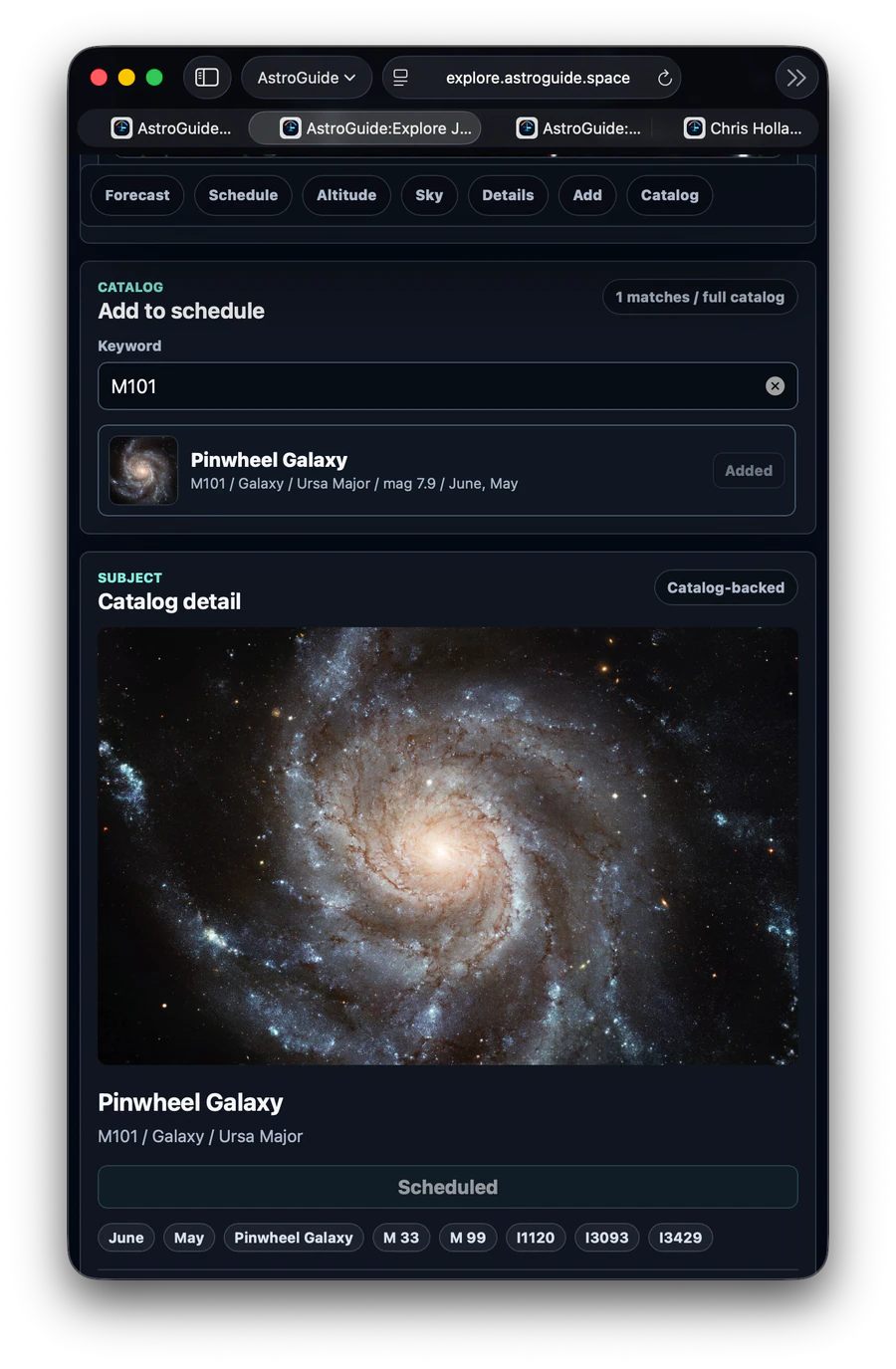
Search more than 7,000 catalog subjects
Browse AstroGuide's deep-sky catalog and add promising targets directly to the schedule, with detailed catalog information available while you decide.
Preview framing and field of view
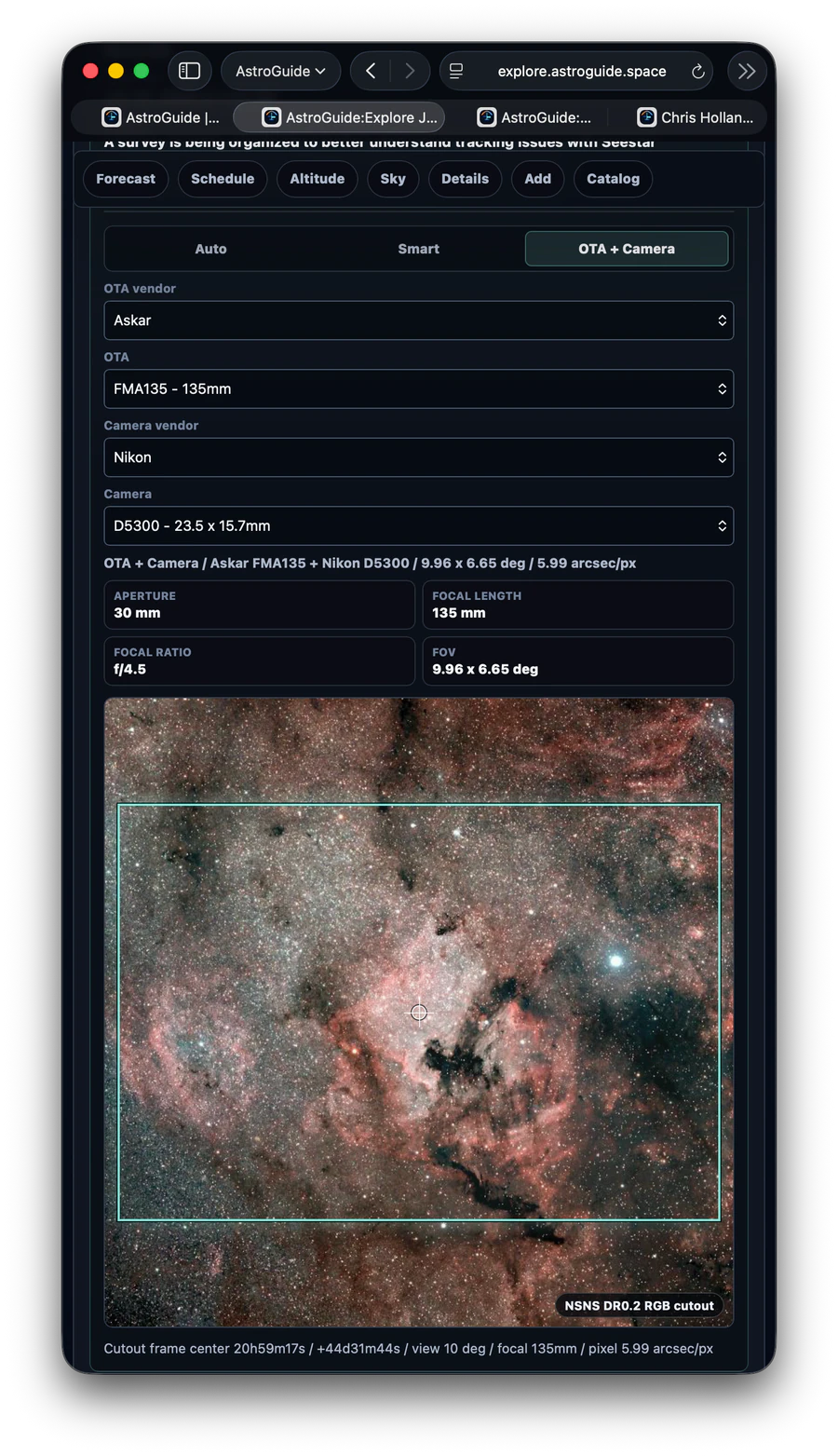
Combine hundreds of popular telescope components to simulate how a subject will fit within the imaging frame before setting up under the stars.
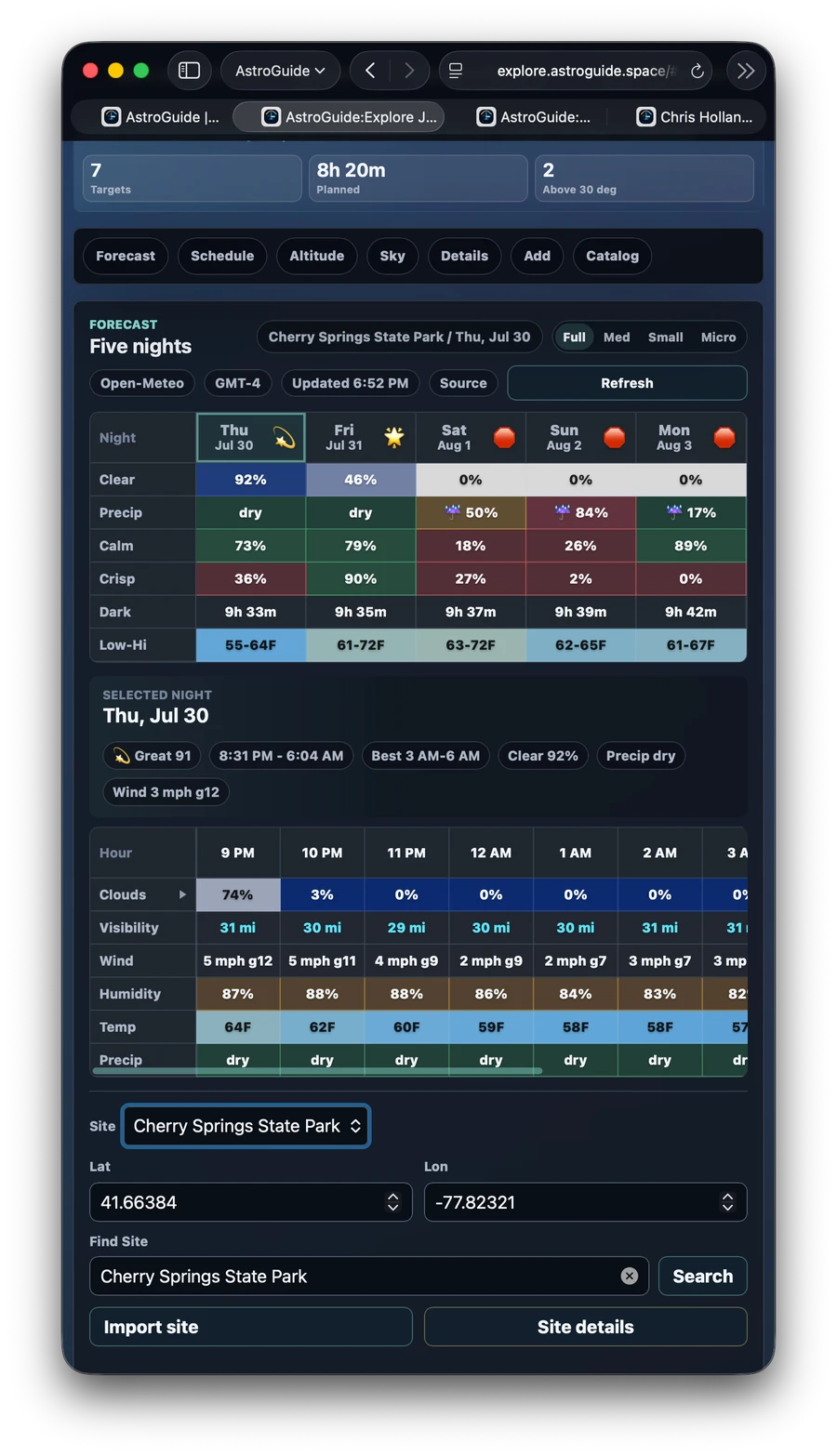
Plan with five-night astronomical forecasts
Review hourly forecast panels for the next five nights at a selected observing location and compare the expected conditions with the subjects and times in the schedule.
Understand local light pollution
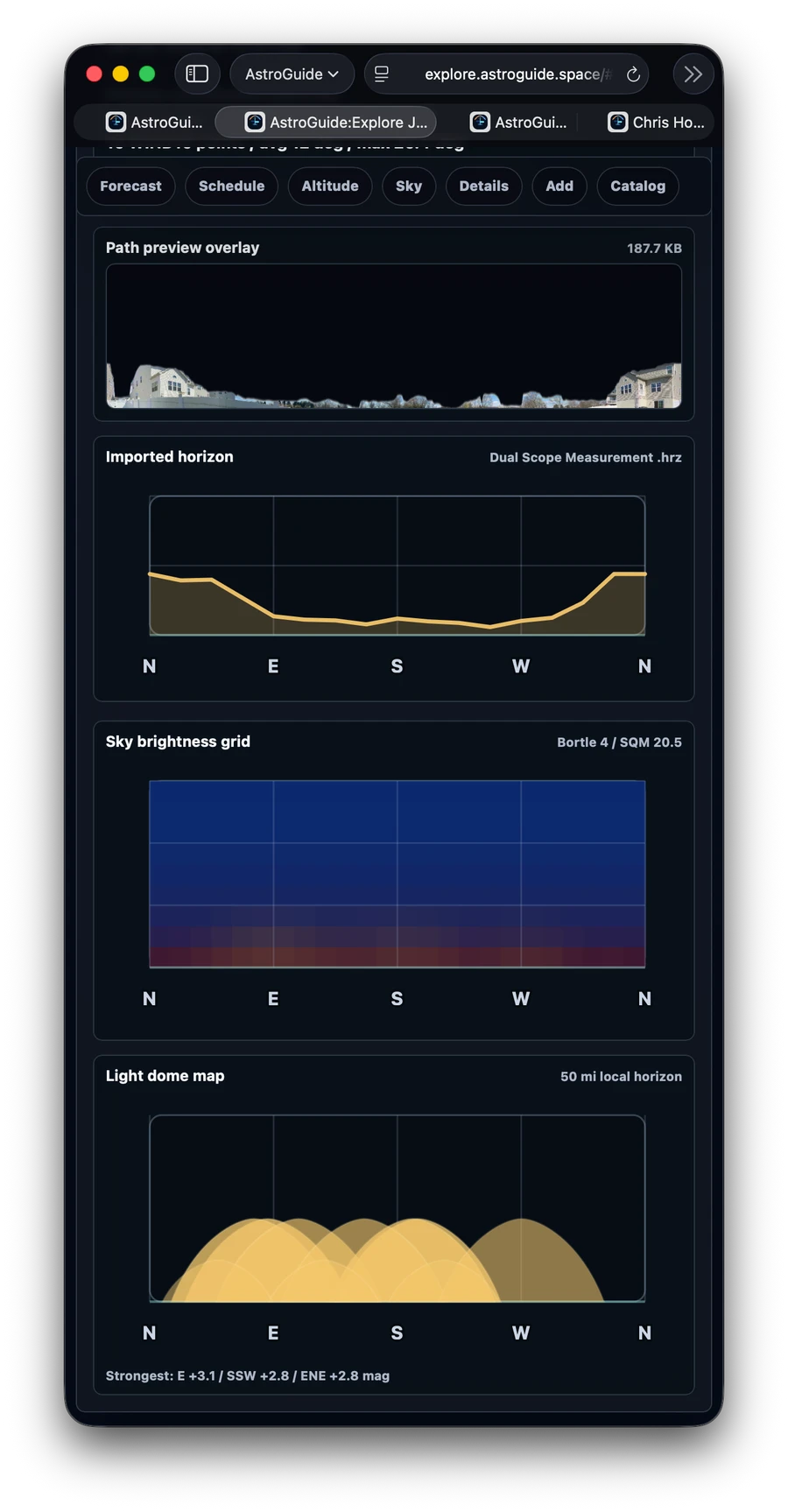
Analyze the Bortle score, sky brightness, and surrounding light-dome context for an observing location before committing to a target or a night.
-
Bring AstroSites to the web. Import
.astrositefiles from AstroGuide, including saved obstructions and panoramic horizon images, so Explore can represent the places where you actually observe. -
Follow subjects across the night sky. Visualize scheduled subject paths in local sky and Alt-Az views to understand how their positions change through the night and relate to the local horizon.
-
Inspect the complete plan. Move among schedule, subject, catalog, site, forecast, and framing details without leaving the planning experience.
-
Share schedules with a portable link. Create a link that others can open in their browser, making an AstroPlan easier to pass along.
-
Plan from desktop or mobile. Use a larger workspace at a computer or reach the same core planning tools from a phone or tablet.
Portable planning
AstroGuide
is built around the same portable planning ecosystem as AstroGuide for iOS. AstroPlan schedules can move between the web and the app, and AstroSite files can bring saved observing locations, obstruction horizons, and optional panorama context into the browser.AstroSite files can include precise observing-location data and optional horizon imagery. Only import or share AstroSite files from sources you trust, and use rounded coordinates when you do not want to reveal an exact private observing location.
A web companion to the complete AstroGuide experience
Explore is designed for fast, accessible planning, schedule review, and portable links. AstroGuide for iOS goes further with the complete native workflow: deeper field planning, device-aware recommendations, longer forecasts, session analysis, goals, and learning tools.
| Feature | AstroGuide | AstroGuide for iOS |
|---|---|---|
| Availability | Desktop and mobile web browsers | Native iPhone and iPad app |
| AstroPlan schedules | Create, edit, open, and share | Full native schedule workflow |
| Subject catalog | Search 7,000+ catalog subjects | Search 7,000+ catalog subjects |
| Framing and field of view | Browser-based equipment and framing simulation | Capture Studio adds multiple panels, scale and rotation, and narrowband palettes |
| Equipment | Choose from hundreds of popular smart telescopes and components for framing | Create kits and rigs, and use Telescope Workshop to simulate thousands of equipment combinations |
| Astronomical forecasts | Hourly forecasts for the next five nights | Hourly and nightly forecasts for 15 nights, with additional detail and interpretation |
| Light-pollution analysis | Bortle and light-pollution context for selected sites | Integrated site and observing-condition tools, including Light Dome Explorer |
| AstroSite support | Import sites, obstructions, and panoramas | Create and manage multiple sites, capture panoramas, and import or export AstroSite files |
| Night-sky visualization | Scheduled subject paths and local Alt-Az views | Expanded native sky and schedule views with high-resolution broadband and narrowband SkySphere textures |
| Schedule sharing | Share plans through portable links | Share through Explore, export AstroPlan files, and use ASIAIR plan import or export through the clipboard |
| Dark Sites | Search more than 100 internationally recognized Dark Sky Sites | Search dark sites and find nearby sites optimized for each catalog subject |
| Advanced nightly planning | — | Observation windows and recommendations tailored to equipment and conditions |
| Contextual tips | — | Live schedule analysis for filter mismatches, dew risks, lunar interference, timing conflicts, and opportunities |
| Longer-term planning | — | Track goals and objectives |
| Solar System support | — | Search and explore planets and solar-system targets |
| Galactic Seasons | — | Understand how our view of the Milky Way changes through the year |
| Lunar impact analysis | — | Evaluate lunar interference for each subject |
| Radar cloud imagery | — | Review nearby cloud radar from the past four hours |
| Smart-telescope session analysis | — | Connect a Seestar or DWARFLAB telescope by USB to scan, log, and evaluate sessions |
| Best suited for | Fast, accessible planning, schedule review, and portable links | The most complete AstroGuide experience, with deeper planning and device-aware recommendations |
Start exploring
AstroGuide
is available now in a desktop or mobile browser. Build a schedule from the catalog, open an AstroPlan you already have, or create a portable link for the plan you want to share.