Cycles in the Sky: Moon Phases, Seasons, and Better Planning
Learn how lunar cycles, seasonal sky changes, galaxy season, Milky Way regions, and night length shape beginner astrophotography plans.
You finally decide on a beautiful subject, check a few images online, and make a plan. Then someone says, “That one is better later in the season.”
Later in the season? The stars are always up there, right?
They are, but your view of them changes through the year. At the same time, the Moon moves through its own monthly rhythm. Add changing night length, weather patterns, and your local horizon, and the sky starts to feel like a set of overlapping calendars.
The good news is that beginners do not need to memorize the whole sky. You only need to understand the main cycles well enough to plan with them instead of against them.
The Moon runs on a monthly rhythm
The lunar cycle is the easiest cycle to notice because the Moon changes shape night by night.
A new Moon gives you darker skies because the Moon is near the Sun in the sky and mostly absent from the night. A full Moon brightens the night, often enough to change which subjects make sense. The weeks between are more flexible. Sometimes the Moon sets early. Sometimes it rises late. Sometimes it is bright but far away from the subject you care about.
This is why lunar planning is not just “new Moon good, full Moon bad.” The phase matters, but timing and altitude matter too.
Think of the Moon like a lamp on a timer. You want to know how bright it is, when it turns on, where it sits, and whether it is shining into the part of the room where you are working.
The galaxy around us creates seasonal neighborhoods
The stars do not rearrange themselves every month, but Earth points your evening sky toward different parts of space as it moves around the Sun.
That is why experienced imagers talk about seasons. Some months are better for galaxies. Some are better for nebula-rich Milky Way regions. Some are better for wide star fields, dark nebulae, or clusters. The exact feel depends on your latitude and local horizon, but the pattern is real.
For many Northern Hemisphere imagers, spring is often called galaxy season because the evening sky looks out of the flatter, dusty band of the Milky Way and toward many distant galaxies. Summer and early autumn bring richer Milky Way regions into better evening view, which can make emission nebulae and dense star fields more tempting. Winter brings its own bright nebulae and clusters, with longer nights in many locations.
You do not have to learn all of that at once. Start with the simple idea that subjects have seasons, just like fruit at a market. You may be able to get something out of season, but it is usually easier and better when the timing is right.
Lunar cycles and seasonal cycles overlap
The planning magic happens when the Moon cycle and the seasonal cycle line up.
Maybe a galaxy is entering its best part of the year, but this week has a bright Moon. That does not mean the galaxy is gone. It means you may want to protect the darker window later in the month.
Maybe a nebula-rich Milky Way region is finally rising at a reasonable hour, but the nights are short. That may still be worthwhile, especially if the subject is bright and filter-friendly, but your expectations should match the available time.
Maybe a long winter night gives you plenty of hours, but the subject you want does not climb high until late. The calendar says one thing, the hourly window says another.
Good planning is not choosing one cycle. It is finding the overlap.
Longer nights and shorter nights change the shape of a project
Night length is one of the most beginner-friendly planning factors because it is easy to feel.
In many places, winter nights are longer and summer nights are shorter. Longer nights can support deeper imaging sessions, more patient subject choices, or multi-subject plans. Shorter nights ask for more focus. You may still have excellent subjects, but less dark time to work with.
This matters especially for deep integration. If you need several hours on a faint subject, a long night gives more breathing room. If you only have a short dark window, a brighter subject, a narrowband-friendly nebula, or a survey session may be a better fit.
The best plan is not always the most ambitious plan. It is the one that respects the amount of darkness the night is offering.
Galaxy season and Milky Way season are useful shortcuts
Season names are not laws. They are shortcuts.
“Galaxy season” does not mean you can only image galaxies. It means many galaxies are well placed for many imagers during that part of the year. “Milky Way season” does not mean every nebula is perfect. It means the richer regions of our own galaxy become more prominent in the night sky.
These shortcuts help beginners because they reduce the catalog from “everything” to “what kind of sky is being offered right now?”
Use them gently:
- galaxy-heavy months can be good for learning small, faint subjects and patient broadband work
- nebula-rich Milky Way months can be good for emission nebulae, star fields, and narrowband-friendly projects
- darker Moon windows still matter inside every season
- your site and horizon can shift the best opportunities
If a subject is seasonal and the Moon is friendly, protect that window. If the Moon is not friendly, save the subject and look for a better overlap.
How AstroGuide helps connect the calendars
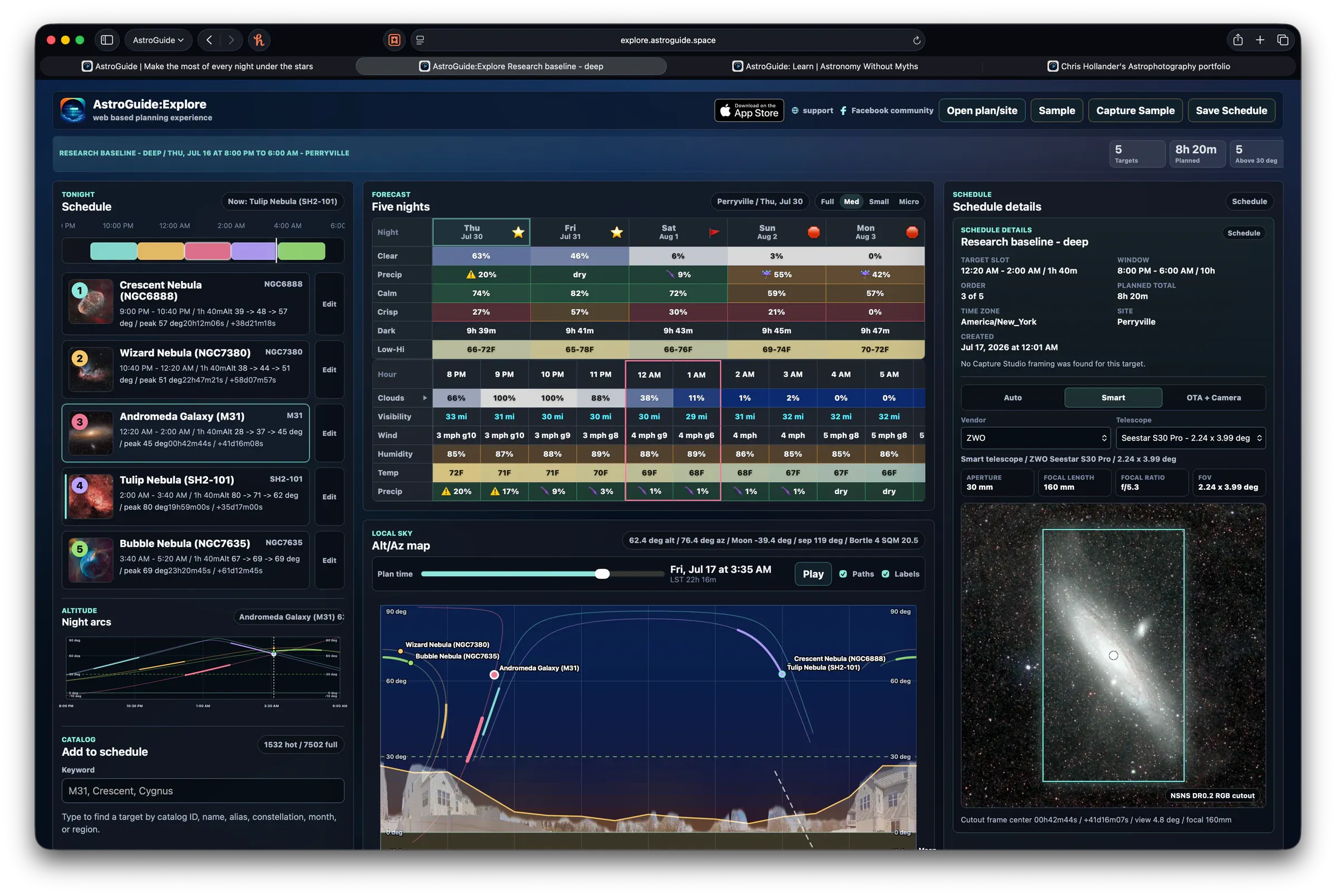
AstroGuide treats the sky as something that changes across nights, months, and seasons.
On the Tonight side, the app helps you understand the immediate window: conditions, Moon context, night rating, and observation windows. For planning ahead, monthly visibility and seasonal views help you see when a subject is rising into a better part of the year instead of forcing it into tonight.
The Galactic Seasons surface is designed for that bigger picture. It gives beginners a way to think about night, month, and seasonal sky regions without needing to memorize right ascension charts or dense astronomy tables.
The app breaks those cycles into a few practical places:
- Tonight handles the near-term calendar. Night ratings, lunar context, and observation windows answer the first question: is this specific evening worth using?
- Target Detail handles the subject calendar. Monthly visibility and lunar-calendar context help you see whether a subject is improving, fading, or waiting for a darker window.
- Galactic Seasons handles the seasonal sky. Night, Month, and Seasons modes help you understand which regions are favored now, what is crossing the meridian, and how the year changes the subjects you are likely to consider.
- Month mode in Galactic Seasons connects the Moon cycle to the seasonal view with lunar outlook, night-hours context, and constellation summaries.
- Recommended Targets from Galactic Seasons can hand you from a seasonal region into a subject list, then onward into Search or Target Detail when you are ready to inspect a specific subject.
- Goals & Objectives give future ideas somewhere to live. If the calendar says “not yet,” the subject can become part of a longer project instead of disappearing from memory.
Used together, these views help answer a calmer set of questions:
- Is tonight useful?
- Is this subject in season?
- Is the Moon helping or hurting?
- Is there a darker window soon?
- Would this idea be better as a future objective?
That is the heart of better planning. You are not just reacting to the next clear night. You are learning the rhythms of the sky and choosing the moments that fit.