Searching Through the Universe
Learn how AstroGuide helps beginners browse, search, and explore thousands of deep-sky subjects without getting lost in the catalog.
You open an astronomy catalog and suddenly the night feels too large.
There are Messier objects, NGC objects, IC objects, nebulae, galaxies, clusters, comets, aliases, abbreviations, and subject names that sound like someone spilled alphabet soup across a star chart. The problem is not that there is nothing to image. The problem is that there is too much.
Good discovery should feel less like being dropped into a library with no signs and more like walking through sections with a friendly map.
That is the idea behind AstroGuide’s Search experience.
Start with a shelf, not the whole library
When you are new, searching by exact name can be intimidating. You may know “Orion Nebula” but not M42. You may hear about Andromeda but not remember whether to look under Messier, NGC, or a common name.
Browse tools help because they let you start with a category instead of a perfect search term.
In AstroGuide, Search includes a Browse mode with:
- Browse by Type for families like galaxies, nebulae, clusters, and other subject groups
- Browse by Catalog for catalog-driven entry points
- Recent Subjects so you can return to what you have already inspected
- keyword results when you do know part of a name or identifier
That turns discovery into a calmer first step. Instead of asking, “What exact thing am I supposed to type?” you can ask, “What kind of subject am I in the mood to learn about?”
Filters are questions, not homework
Filters can sound technical, but the beginner version is simple: they are questions that narrow the room.
You might ask:
- What is visible from my site?
- What fits this month?
- What is reachable during the window I have?
- What subject family do I want?
- Is this too low, too dim, or too large for tonight?
AstroGuide’s browse listings include planning-aware filters for basics, availability, and sky position. The useful part is not the filter sheet itself. The useful part is that a giant catalog starts to respond to your real situation.
A beginner does not need to memorize every catalog. Start broad, then narrow. Galaxy tonight? Maybe. Galaxy from your site, during this month, high enough during your available time? That is a much better question.
Search helps names become familiar
One quiet challenge in astronomy is that the same subject can have more than one name.
The Andromeda Galaxy is also M31. Some subjects have NGC and IC identifiers. Some have common names, catalog names, and aliases used by different communities.
AstroGuide’s catalog search supports identifiers, names, aliases, and catalog metadata. It also tries to avoid treating every alias like a totally separate thing when those rows point to the same real subject.
That matters for learning. You can search the way you remember something, then gradually learn the other names around it. The catalog becomes a translator, not a test.
Explore mode is for wandering with purpose
Sometimes you do not want a list. You want to understand where things sit.
That is where Search Explore helps. Instead of only browsing rows, Explore mode gives you an atlas-style discovery experience. You can search for subjects, focus the sky view on a match, and open Target Detail when something looks worth understanding more deeply.
Think of it like walking through a museum gallery. Browse mode is the index at the front. Explore mode is the room itself.
This is especially useful when you are trying to build sky intuition:
- which subjects live near each other
- how a constellation region feels
- why some parts of the sky are packed with nebulae while others feel galaxy-heavy
- how a subject relates to the larger seasonal sky
Galactic Seasons gives discovery a calendar
The sky changes through the year. Search helps you find subjects; Galactic Seasons helps you understand why different parts of the sky become interesting at different times.
Galactic Seasons is AstroGuide’s seasonal sky surface. It has Night, Month, and Seasons modes. Instead of asking you to memorize right ascension charts, it presents the annual rhythm as a guided tour from galaxy-rich skies toward Milky Way core regions and back again.
In practical terms, that helps explain why:
- some months feel rich with galaxies
- some months pull your attention toward the Milky Way core
- some constellations become better discovery neighborhoods
- the Moon and night length change the usefulness of a season
AstroGuide also carries galactic-arm context in its curated subject metadata, including regions such as the Orion Spur, Perseus Arm, Sagittarius-Carina Arm, Cygnus Region, Inner Arm, and Outer Disk where that context is available. You do not need to learn those labels all at once. They are more like trail markers, helping you understand that nebulae and star-forming regions are not randomly scattered. They belong to structure in our galaxy.
Month mode turns constellations into doorways
One of the friendliest parts of Galactic Seasons is Month mode.
Month mode combines a lunar outlook, night-hours context, and constellation summaries. That means you can ask a very beginner-friendly question:
What constellation neighborhoods look interesting this month?
The month constellation summary can highlight visible subject counts, family counts, representative thumbnails, and links into Search listings. That gives constellations a practical role. They are not just ancient sky art. They become doorways into subjects you might actually image.
This is where discovery starts to feel less random. You are not just scrolling. You are learning the seasonal shape of the sky.
From discovery to decision
Finding an interesting subject is only the first step.
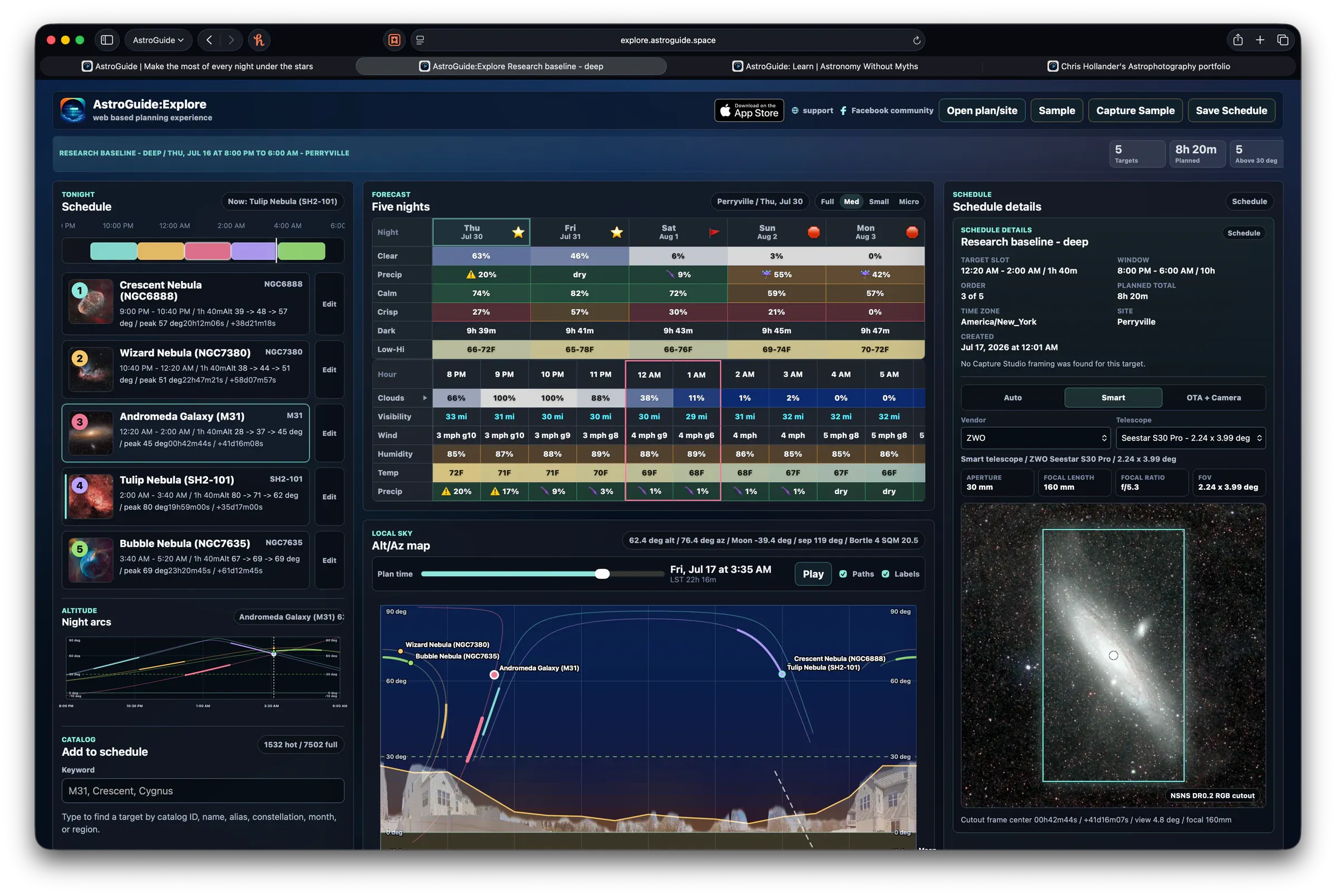
AstroGuide connects discovery surfaces back into planning. Search listings can lead to Target Detail, where you can inspect visibility, monthly timing, lunar context, media, and past results when available. Galactic Seasons can open recommended subjects for a selected region, then hand you into Search or Target Detail for a closer look.
That loop matters because browsing should not end with a pretty name. It should end with a better question:
Is this subject a good idea for my site, my time, and this season?
For beginners, that is the real win. You still get the wonder of wandering through thousands of deep-sky subjects. You just get better signposts while you wander.